RIFTSTORM Keyboard and Gamepad Controls
Official layout presets, dodge and Third Active Skill variants, and rebinding workflow ahead of the planned August 11, 2026 Early Access launch.
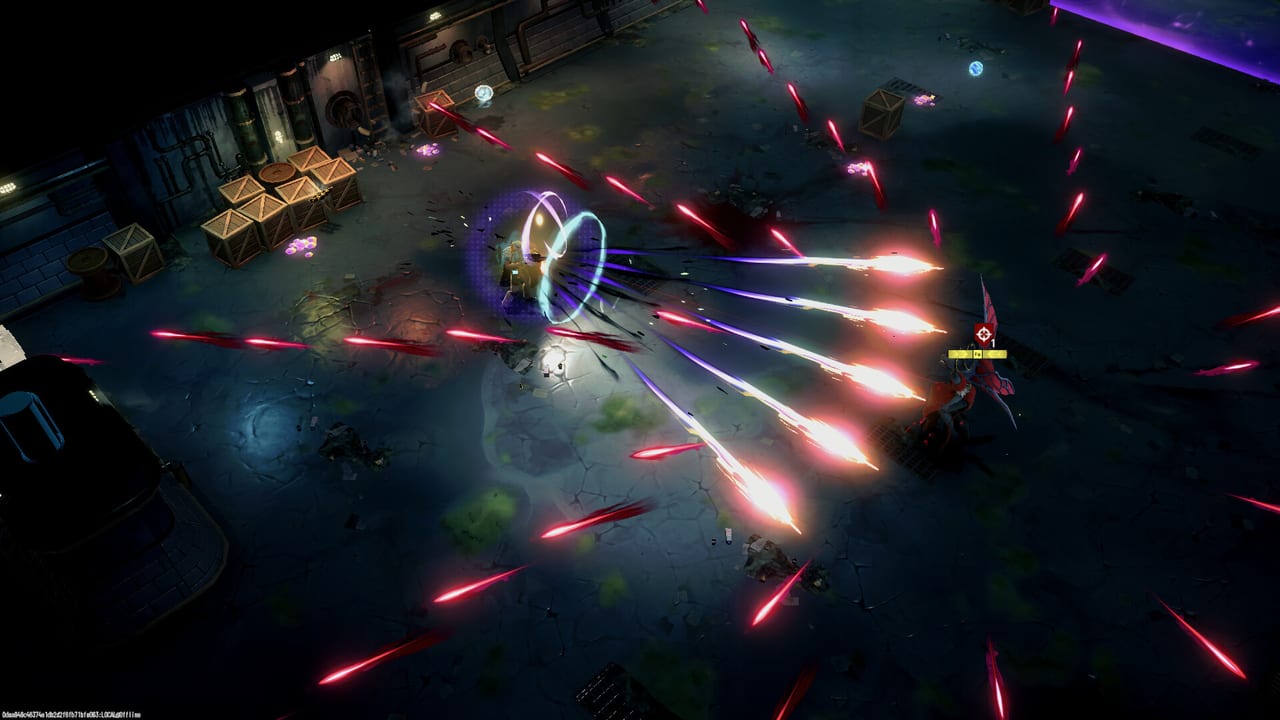
RIFTSTORM combat lives or dies on movement and dodge timing. Confiction Labs documents keyboard layout presets and two gamepad schemes in the official player guide, and this page translates that into a practical reference for squads preparing for Steam Early Access on the planned August 11, 2026 release. Configure inputs before you enter PADDOCK Contingency missions or demo operations—always-online sessions do not forgive fumbling through Settings mid-fight.
Opening the Controls menu
Access controls from any safe house or pause state:
- Press ESC on keyboard or the Menu button on gamepad.
- Select Settings.
- Open the Controls tab.
From here you switch keyboard regional layouts or gamepad presets. Individual key rebinding may be available per action—verify in Early Access because pre-launch builds sometimes limit customization.
Keyboard layout presets
RIFTSTORM supports three regional keyboard layouts. Pick the one that matches your physical keyboard so printed key caps align with in-game prompts:
| Layout | Typical regions | Notes |
|---|---|---|
| QWERTY | US, UK, most international English | Default for most Steam players |
| AZERTY | France, Belgium (French) | A and Q positions swap vs QWERTY |
| QWERTZ | Germany, Austria, Switzerland | Y and Z positions swap vs QWERTY |
Switching layout remaps movement and ability keys to the correct physical positions. If you travel or use a laptop with a different regional keyboard, re-check this setting on first launch.
Common keyboard actions (QWERTY baseline)
Preview builds and demo coverage commonly report these defaults—confirm in your build because Early Access may tune bindings:
| Action | Typical QWERTY binding |
|---|---|
| Move | WASD |
| Aim | Mouse |
| Fire | Left mouse button |
| Dodge (invulnerability dash) | Spacebar |
| Active skills | Number keys or mouse side buttons (verify in-game) |
| Interact / use | E or F (verify in-game) |
| Menu | ESC |
Dodge is the highest-priority bind. It grants brief invulnerability through enemy telegraphs and environmental hazards—critical when Weapon Scarring is on the line during a failed extract.
Gamepad layout variants
Controller players choose between two official gamepad layouts. Confiction Labs states the primary difference is which button triggers Dodge and which triggers the Third Active Skill (often a Weaver-specific ability separate from the two core actives).
Because exact face-button labels can vary by controller and build, treat the presets as:
| Preset | Dodge placement | Third Active Skill placement |
|---|---|---|
| Layout A | Face button set #1 | Face button set #2 |
| Layout B | Swapped vs Layout A | Swapped vs Layout A |
How to choose: In the tutorial safe zone, test both presets against a training dummy or low-threat encounter. Pick the layout where:
- Dodge sits on a button your thumb reaches without claw-gripping.
- Third Active Skill does not share accidental presses with dodge or jump.
- You can fire and dodge simultaneously if your Weaver demands it.
Document your choice for co-op partners. Mixed input squads should call abilities by name—“Starling mark” not “Y button”—during How to Co-op sessions.
Gamepad action reference (conceptual)
| Action | Typical placement |
|---|---|
| Move | Left stick |
| Aim | Right stick |
| Fire | Right trigger |
| Dodge | Layout-dependent face button |
| Skills | Bumpers / layout-dependent face button |
| Menu | Menu / Start button |
Co-op input consistency
Three-player online co-op via Steam Lobby means three independent control schemes may collide. Reduce friction:
- Host confirms everyone’s layout before selecting a Threat Level mission.
- Frontline players (see Squad Composer) need the most reliable dodge bind—they face melee elites in Rift Exposure Zones.
- Wave Control players spam area skills; ensure those binds do not conflict with ping or mark systems if added later.
- Elite Hunter players need stable aim and skill fire while kiting—mouse players often take this role, but controller aim assist (if present) may shift that meta during Early Access.
Demo and Early Access differences
The Steam demo ships four pre-leveled Weavers and simplified systems, but controls access follows the same Settings path. Use demo sessions to finalize binds without risking Forge Center gear. Early Access adds more Weavers—Rook, Starling, Hertz, Botsy, and Caracal—and each may introduce a third active skill with unique animation locks. Re-test binds whenever you main a new Weaver.
Troubleshooting
| Problem | Likely fix |
|---|---|
| Dodge feels one frame late | Check fullscreen vs borderless; verify SSD install per System Requirements |
| Wrong keys after OS language change | Re-select QWERTY/AZERTY/QWERTZ in Controls |
| Gamepad layout feels inverted | Swap between the two official presets |
| Cannot pause to rebind | Return to safe house hub between missions |
Related pages
- Controls Hub — Overview and pre-launch checklist.
- Getting Started — Mission loop after inputs are set.
- Weavers — Ability-heavy kits that stress skill bindings.
- Trio Comps — Squad roles that inform who needs the fastest dodge response.
RIFTSTORM has not fully launched yet; treat binding tables here as official-structure guidance confirmed against preview builds. Re-run the tutorial after major patches if combat feels unresponsive.
Frequently Asked Questions
Quick answers to the most common RIFTSTORM questions.
What keyboard layouts does RIFTSTORM support?
Official documentation lists QWERTY, AZERTY, and QWERTZ presets selectable under Settings → Controls.
What is the difference between the two gamepad layouts?
They mainly swap which button performs Dodge versus the Third Active Skill. Test both presets and keep the mapping that avoids accidental dodges.
Which key dodges on keyboard?
Preview and demo coverage commonly map dodge to Spacebar on QWERTY, but always verify your binding in the Controls menu.
Can I rebind controls in RIFTSTORM?
Access rebinding through Settings → Controls. Early Access may expand options; confirm per action in your current build.
Do control settings sync across Weavers?
Input bindings are account-level. Individual Weaver kits may add unique Third Active Skills that still use your chosen preset mapping.