RIFTSTORM Controls Hub
Keyboard layouts, gamepad presets, and input settings so your squad moves and dodges consistently before the planned August 11, 2026 launch.
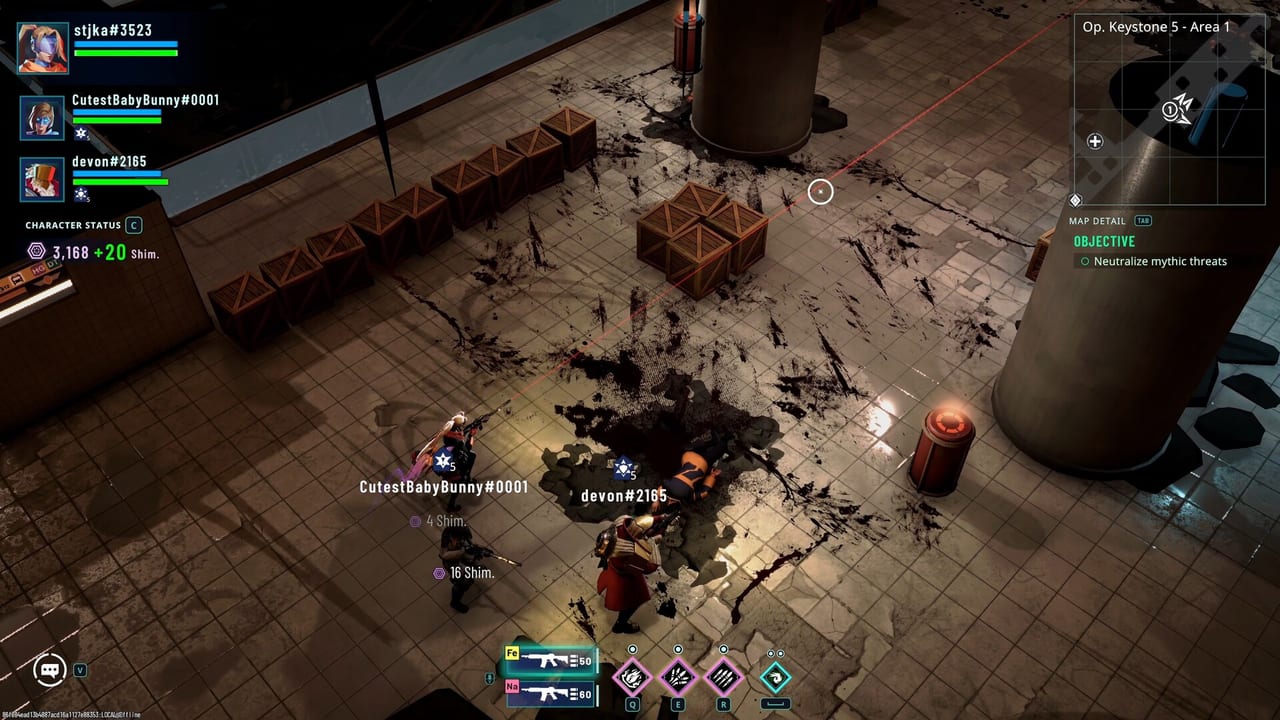
RIFTSTORM is a fast co-op PvE looter-shooter where a missed dodge or misbound skill can end an extract run. This hub collects every input reference you need before Steam Early Access on the planned August 11, 2026 date. Whether you play on keyboard and mouse or controller, understanding how Confiction Labs handles layout variants keeps your trio synchronized when Threat Levels spike in Rift Exposure Zones.
Why controls matter in RIFTSTORM
Combat blends isometric movement, aim-based shooting, two active Weaver skills, dodge invulnerability frames, and mid-mission Lythogram choices that pause the action. In three-player online co-op, muscle memory is squad infrastructure. If one player uses a gamepad preset that maps dodge differently from the rest, callouts like “dodge left now” fail at the worst moment—especially during PADDOCK Contingency boss phases or demo-style survival-extraction waves.
The game is always online, so you cannot pause to hunt settings mid-fight. Configure inputs during the tutorial or safe house downtime, then lock them before you queue with lobby invite codes.
What this hub covers
The primary deep-dive is Keyboard and Gamepad Controls, which documents official layout options:
- Keyboard layouts — QWERTY, AZERTY, and QWERTZ presets for regional keyboards.
- Gamepad layouts — Two controller presets whose main difference is which face button triggers Dodge and which triggers the Third Active Skill.
- Settings access — Open the menu with ESC (keyboard) or the Menu button (gamepad), then navigate to Settings → Controls.
Default keyboard play commonly maps movement to WASD, aim and fire to the mouse, and dodge to Spacebar—though you should verify bindings in-game because Early Access may adjust defaults.
Keyboard vs gamepad in co-op
Neither input method is officially favored. Mixed squads are normal. What matters is consistency within your fireteam:
| Situation | Keyboard advantage | Gamepad advantage |
|---|---|---|
| Precision aim at range | Mouse fine-tuning | — |
| Couch co-op sessions | — | Comfortable long sits |
| Rapid dodge weaving | Spacebar or rebound key | Depends on chosen layout preset |
| Menu navigation in hub | Faster text entry | Streamlined with stick |
If your group mixes inputs, agree on callout vocabulary. Say “skill two” instead of “right bumper” when a Weaver ability must land together.
Related setup guides
Controls are step one; squad readiness is step two. After binding inputs, continue with:
- Getting Started — Weaver roles, Periapt, and the mission loop.
- How to Co-op — Always-online lobby flow for three-player squads.
- Squad Composer — Pick Frontline, Wave Control, and Elite Hunter roles before deploy.
- System Requirements — Confirm your PC handles dodge-heavy combat at your target settings.
Pre-launch checklist
Before Early Access or a fresh demo session:
- Confirm keyboard layout (QWERTY/AZERTY/QWERTZ) matches your physical keyboard.
- Test both gamepad presets if you use a controller; pick the dodge mapping that feels natural.
- Run one solo tutorial mission to verify dodge and skill buttons under pressure.
- Share your layout choice with co-op partners so ability timing stays predictable.
RIFTSTORM has not launched yet—input options may expand during the 18–24 month Early Access window. Revisit this hub after major patches if rebinding menus change.
Frequently Asked Questions
Quick answers to the most common RIFTSTORM questions.
Where do I change RIFTSTORM controls?
Press ESC or the gamepad Menu button, open Settings, then select Controls. See Keyboard and Gamepad Controls for layout details.
Does RIFTSTORM support AZERTY and QWERTZ keyboards?
Yes. Official docs list QWERTY, AZERTY, and QWERTZ as selectable keyboard layout presets in the Controls menu.
Are there different gamepad control schemes?
Yes. Two gamepad layouts differ mainly in which button handles Dodge and the Third Active Skill. Compare both in Settings before co-op nights.
Can I play RIFTSTORM with keyboard while friends use controllers?
Yes. Input method is per player. Mixed squads work; just align callouts so ability timing stays clear during extracts.